
Having a well-rounded social media presence is a powerful tool for businesses. If done right; you can find new customers, drive sales to your website and foster a community.
When searching for social media managing tools, I look for a few key features. Will it save me time? Will it keep me organized? Is it free or affordable? With those things in mind, I created a list of tools that can allow you to automate the creation of post and analyze each \social media account:
1. LATER
Cost: Free for one social set. Paid plans starts at $12.50/month
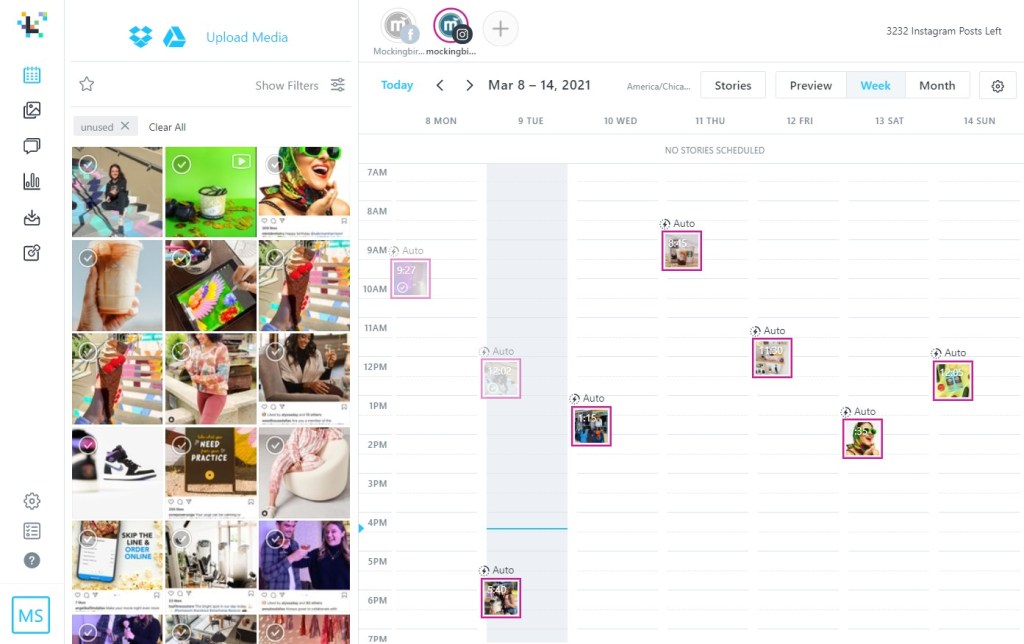
Later allows you to queue and publish post in a calendar format for Instagram and Facebook. When queuing, you can easily drag-and-drop images into the calendar to schedule them. Then add a caption, hashtags, the location and tag people.
Once posts are created, they will automatically publish at the time you select. This way of planning allows you to batch produce multiple posts, giving you more time to focus on other tedious tasks.
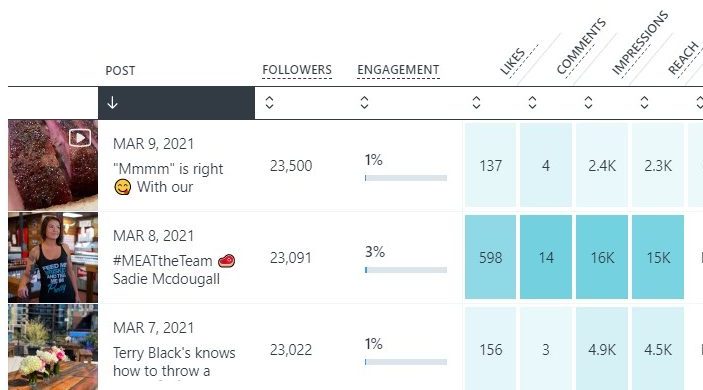
Another feature of Later that helps in planning posts is the analytics they offer. The post analytics tab gives you a quick look at the likes, comments, impressions, reach and saves of each post. This lets you track the performance of recent posts in a single place and make note of what is or isn’t working.
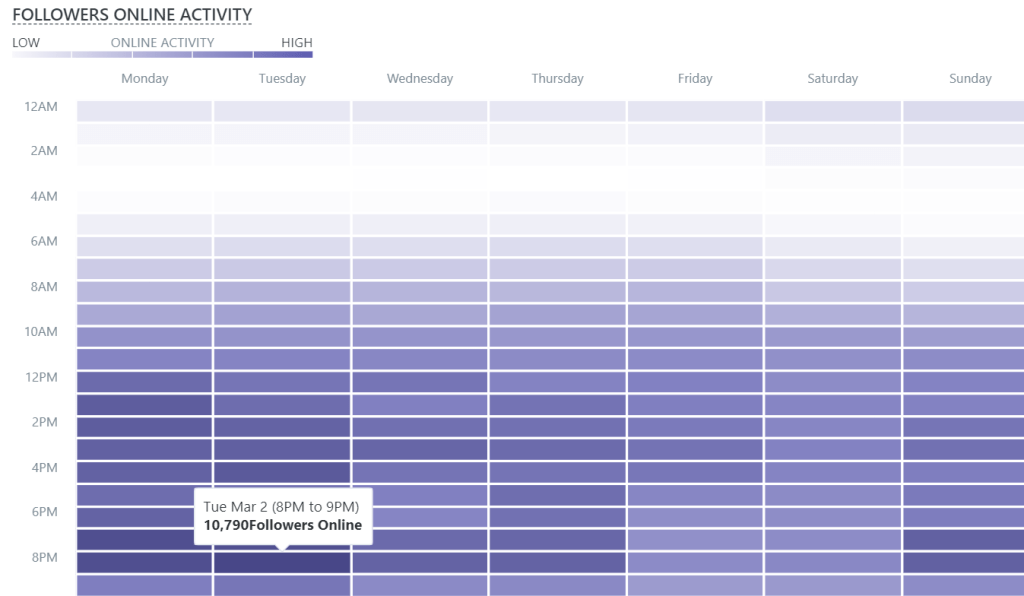
The audience analytics tab gives you insight into how many followers are on at each hour of the day. This information can be useful when determining the best times to post and compiling end of month reports.
2. LIGHTROOM
Cost: $9.99/month for Creative Cloud
Adobe Lightroom lets you organize a high volume of photos and apply edits. One of my favorite features is the ability to copy and paste edits to a batch of photos at once. This lets you stay on brand and keep the same aesthetic across all the photos you will be posting.
Additionally, Lightroom is available on desktop and mobile. This allows you to make initial edits on a computer and quick edits on a phone.

3. UNSPLASH
Cost: Free
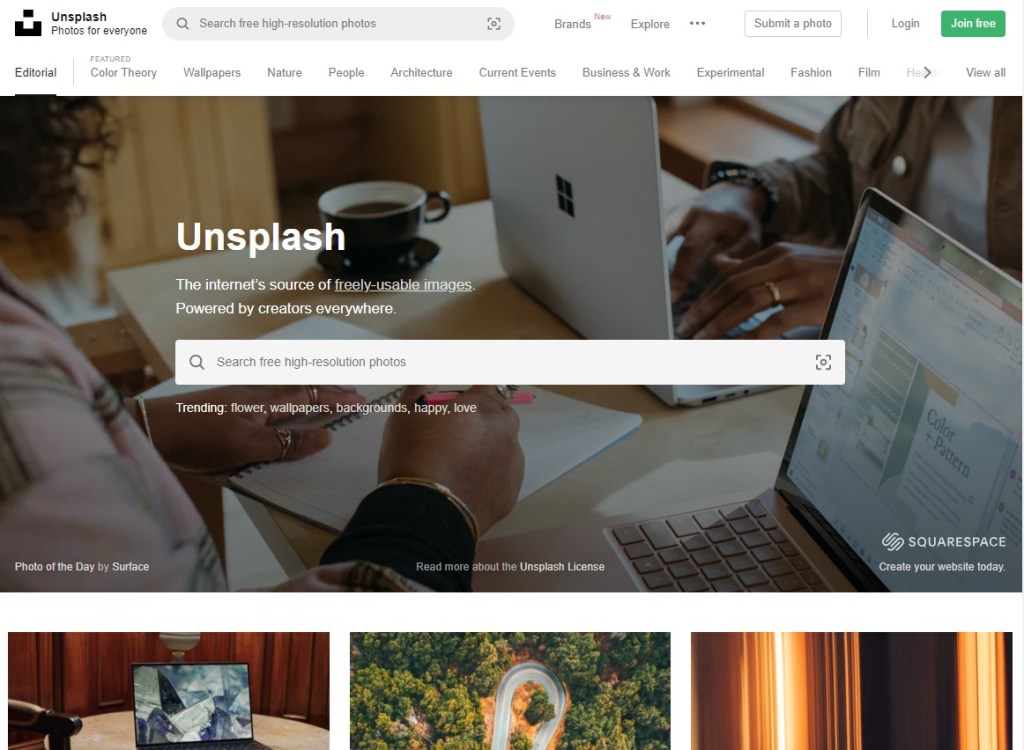
Unsplash is a database with high-resolution, copyright-free images that is free for anyone to use. I often go there to find background images when creating flyers for social media as they have a wide variety of options to choose from.
With two years of social media managing experience, I have had my fair share of posts that perform above and below expectations. Check out some of my social media work here!
 CHLOE BOHANNON